


Online fax for financial services
Send and receive financial documents online with Fax.Plus. Give banks, advisory firms and financial operations teams individual logins, shared fax numbers and a clear place to check transmission results. Business and Enterprise plans support team faxing; Enterprise adds SSO, API access and data residency options.
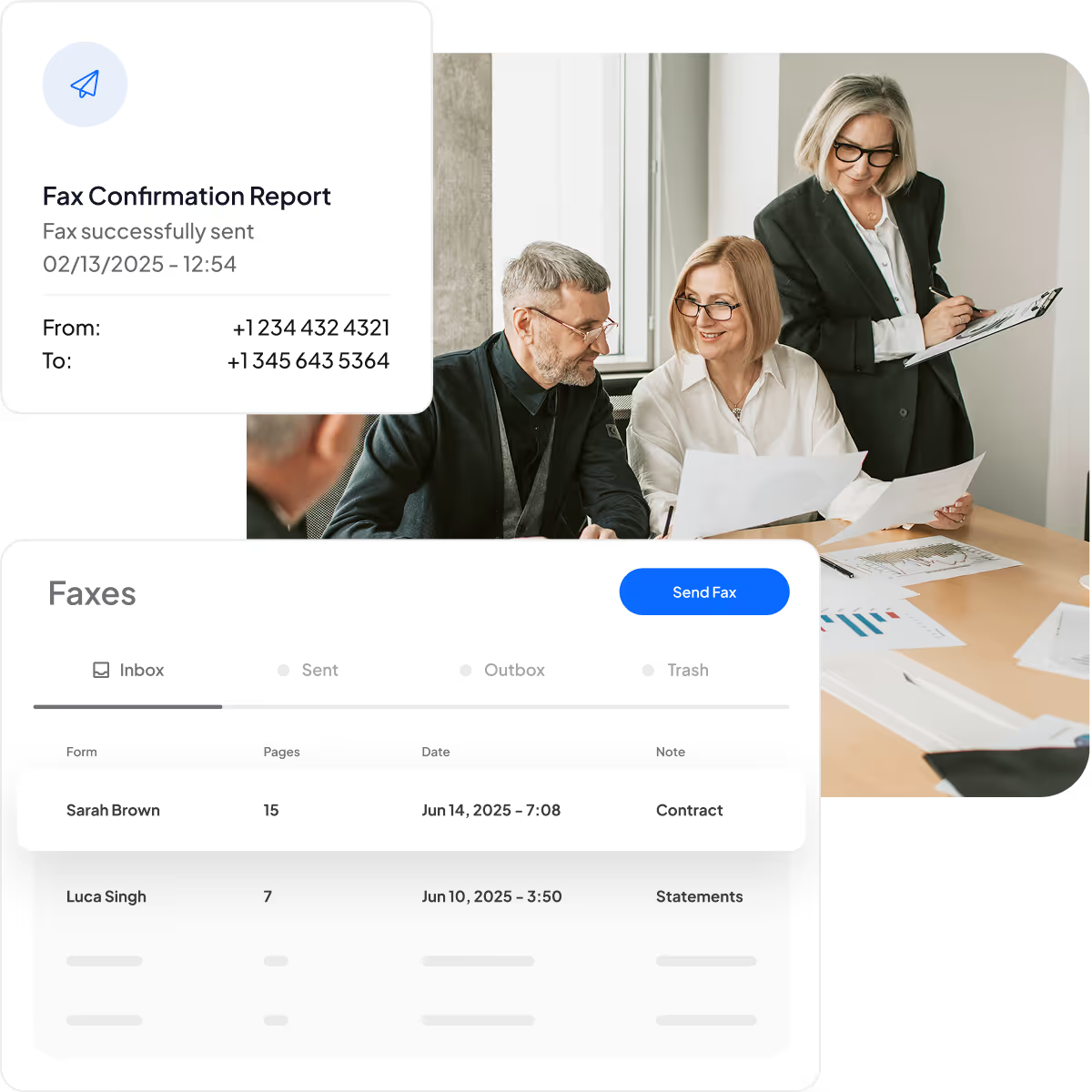
A clear workflow for financial documents
Use your organization’s approved document and recipient checks, then follow each fax through to its transmission result.
Prepare the right documents
Confirm that the recipient accepts fax for this request. Check the designated number, required pages and signatures before attaching the reviewed files in Fax.Plus.
Send with your own login
Use your assigned access to send the packet from the web app or mobile app. Check the recipient and attached pages before submitting the fax.
Review the transmission result
Check whether the fax completed or needs attention. Save the submitted document and confirmation report through your organization’s approved records process, then handle any required follow-up.
Online fax built around financial teams

Protect stored documents
Stored fax files are encrypted with AES-256, using unique encryption keys for each user. Give your security team the documented safeguards it needs to assess how Fax.Plus fits your organization’s requirements.

Connect existing workflows
Send from the web app, mobile app or supported email workflow. Enterprise includes API access and Zapier for configured integrations; connecting an internal banking system requires its own technical assessment.

Support everyday sending
Staff use individual credentials to access Fax.Plus. Banks, advisors and finance teams can send documents from supported devices while following their organization’s approved document-handling and recipient-checking procedures.

Compare the full cost
Replace fax hardware and supplies with an online service. Compare the required plan, fax numbers, shared receiving arrangements and page usage against your current setup before estimating the cost difference.
Keep transmission records
Find sent and received faxes in your permitted archive and add notes for retrieval. Download confirmation reports to retain the transmission status and details alongside your organization’s own document records.

Control team access
Business and Enterprise provide team administration for members and fax numbers. Enterprise adds SSO for supported identity providers. Set up access around the people who actually need to send or receive financial documents.
Manage numbers, people and usage
Configure the numbers, roles and usage controls your financial team needs. Account administration and access to another member’s fax documents are separate permissions.

Invite your team
Give staff individual account access. Business includes five members, while Enterprise includes unlimited members. Review the appropriate plan and permissions before inviting additional people.


Add the numbers you need
Add available local, toll-free or international fax numbers and assign them to the appropriate members. Include additional-number charges when comparing the cost of a branch or department rollout.

Share and assign numbers
Assign several numbers to one member or share a number across members. Choose assignments around the people who need incoming documents, and account for how shared reception affects usage.

Separate admin responsibilities
Use multiple administrator roles on Enterprise to manage members, fax numbers and account settings. Administrative responsibility does not automatically give every administrator access to every member’s fax documents.

Review team consumption
Use Enterprise analytics to review monthly fax consumption and usage by member. Check actual activity against the team’s allowance and operating needs, without treating usage reporting as a compliance audit trail.

Access compliance documents
Use the Compliance dashboard to access available compliance documents and account controls. Your organization remains responsible for assessing the service against its policies and applicable requirements.

Name numbers by department
Add a friendly name to each fax number so the team can recognize its purpose. Use clear department or location labels alongside the actual number when reviewing assignments.

Set the sending caller ID
Set an appropriate default caller ID for members without an assigned fax number. Keep the sending identity aligned with the organization’s fax setup and recipient expectations.

Set monthly sending quotas
Apply monthly outbound page quotas to team members using the permitted account role. Review quotas before busy periods; a monthly page limit does not determine how many faxes can send simultaneously.
Financial services fax questions
Can our financial organization keep its existing fax numbers?

Fax.Plus supports porting eligible existing fax numbers. Availability, required plan and transfer requirements vary by country and number. Confirm eligibility and the porting process before planning a branch rollout or cancelling an existing service. Keep the current service active until the transfer is confirmed.
How are pages counted when several members share a number?
Each assigned member’s copy of an incoming fax counts toward plan usage. A five-page fax delivered to three assigned members therefore uses fifteen pages. Include the intended receiving assignments, outgoing volume and additional-number charges when estimating costs, rather than comparing monthly page allowances alone.
Is there a GLBA certification for Fax.Plus?
Fax.Plus does not provide a GLBA certification or certification letter. It can support your vendor review with information about its safeguards and available independent audit documentation. Your financial institution must assess the service, configuration and document-handling process against its own applicable requirements.
Can we choose where our stored fax documents are located?
Enterprise provides data residency options for stored sent and received fax files and backups. Owners and Admins can manage the available storage selections. This does not mean that all account data or processing stays in the selected region: raw and transmission files, metadata and thumbnails have Swiss-processing exceptions.
Does a successful fax mean the bank accepted the documents?
No. A successful transmission means the destination fax machine acknowledged receipt. It does not establish that staff reviewed the packet, accepted its contents or processed the request. Retain the exact submitted version and transmission report, then follow the recipient’s stated process for any acceptance or status check.
What should we check if a financial document does not arrive?
Check the fax status and transmission details first, then verify the recipient’s designated number and the pages submitted. A pending or failed fax is not a completed transmission. If the report shows success but the recipient cannot locate the documents, use the recipient’s follow-up process before sending a duplicate.
Explore financial fax workflows
Plan your team’s setup, assess integration options, or prepare the next document packet with these focused resources.
For IT managers
Bring financial faxing online.
Create an account to explore online faxing for your financial team, then choose the plan and controls your organization needs.
Partner with us!


Confédération Suisse
Confederazione Svizzera
Confederaziun Svizra
Swiss Confederation
Innosuisse - Swiss Innovation Agency



