


Choose a fax service a small nonprofit can maintain through staff absences and changes. Check individual access, number continuity, cost and handovers.


- Choose around the organization’s sending and receiving needs, not one person’s availability.
- Give authorized staff individual access and a clear handover procedure.
- Keep the fax number, billing and recovery arrangements connected to the organization.
- Test how a colleague finds a document and checks its transmission result.
- Include staff changes and quiet months in the service evaluation.
A small nonprofit may send only a few faxes while relying on each one for an application, agency response or signed document. The purchasing question is practical: can the next authorized person continue the work when the usual staff member is away?
Choose for organizational continuity as well as sending. A useful service should fit the people who prepare documents, check replies and maintain the account, even when there is no dedicated IT team.
Describe a normal week and an absence
List the documents that actually travel by fax and the recipients that request them. Separate outgoing-only tasks from work requiring incoming replies. Include supporting pages and cover sheets when estimating usage.
Then consider an ordinary absence. Who checks an incoming response? Where does that person find the application already sent? Who can handle an account or payment question? These are useful evaluation tasks rather than reasons to buy the largest plan.
Use the organization’s own document requirements and confidentiality policy. A nonprofit’s name or charitable status does not determine every account control it needs; the records handled and applicable obligations matter.
Choose access that fits the people doing the work
Compare Fax.Plus plans for a small organization against those tasks. Receiving requires a number on a paid plan. Business and Enterprise support team setup, while the appropriate configuration depends on the staff and controls required.
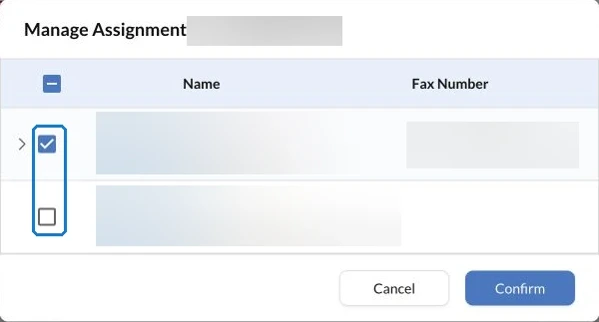
Use individual accounts for authorized staff. Ask the person administering the service to demonstrate the access needed for receiving, sending and providing cover. Check visibility using the actual account that will do each task rather than assuming every colleague sees the same records.
Keep a short written procedure beside the organization’s approved work instructions. It can say which number serves which purpose, where documents are retained and whom to contact about access. Store recovery information through the organization’s approved process.
Keep the account connected to the organization
Identify the account owner, billing contact and person responsible for reviewing staff access. Arrange these responsibilities around the organization’s continuity needs, including what happens when a volunteer finishes a placement or a staff member leaves.
If retaining an established number matters, check transferring the nonprofit’s existing fax number before choosing the migration date. Keep the current service active until the transfer is confirmed. Ask which provider and account details the transfer requires rather than cancelling first.
For costs, compare an ordinary month, a busy application period and a quiet month. Include the necessary number, team access and applicable extra usage. Confirm the renewal arrangement and who can approve changes.
Run a colleague handover check
Use a demonstration document to test sending, receiving where required and locating the result. Ask a second authorized colleague to find the relevant document and explain the next action using your procedure.
For example, “application sent; agency reply awaited” gives cover staff more context than a transmission result alone. Keep the agency’s acceptance or decision separate from the fax result.
If the organization later evaluates assistant-supported case logs, the nonprofit case-log workflow with AI is a separate operating approach. First establish a service and handover that staff can maintain confidently through routine absences and personnel changes.
FAQs
What should a nonprofit test before choosing team fax access?

Ask the people who will send, receive and provide cover to demonstrate their tasks using individual accounts. Check which records each person can locate and how account questions reach the responsible administrator.
What should stay in the organization’s fax handover instructions?
Record the purpose of each number, approved document-storage location, account responsibilities and the next action for outstanding work. Keep recovery details in the organization’s approved secure process.
How should a small nonprofit compare ongoing fax costs?
Compare normal, busy and quiet periods using the required numbers, authorized staff and expected pages. Include applicable extra usage and the renewal arrangement rather than comparing only the headline subscription price.




Confédération Suisse
Confederazione Svizzera
Confederaziun Svizra
Swiss Confederation
Innosuisse - Swiss Innovation Agency




