


Evaluate fax and electronic signing around an insurance agency’s actual document tasks, with separate plan checks and a practical signed-file handoff.


- Size fax service around actual sending, receiving and staff-access needs.
- Evaluate electronic signing separately for the documents and recipients concerned.
- Check both products’ plans and allowances when estimating the agency’s cost.
- Demonstrate how a completed signed file becomes the document sent by fax.
- Keep signature completion, fax transmission and the recipient’s response distinguishable.
An agency that requests signatures regularly but faxes only occasionally has two related purchasing decisions. It needs a suitable signing tool, plus a fax service that works when a carrier or another recipient requires a document by fax.
Start with the work the agency actually does. Frequent signature requests and occasional faxing do not need the same usage allowance. Selecting each service around its role can give staff a clear document route without buying fax capacity simply because signing activity is high.
Identify where fax fits in the agency’s work
Review the documents your team sends and receives, and which recipients currently request fax. For each fax task, establish whether staff only send a document or also need a number for incoming replies.
Include complete packets when estimating usage, rather than counting only the page that needs a signature. Note who sends, who checks incoming documents and who provides cover when the usual operator is away.
Use those requirements to compare Fax.Plus plans for the agency’s fax needs. Fax.Plus supports sending on Free, while receiving requires a number on a paid plan. Team administration is available on Business and Enterprise. Check the applicable sending allowance, extra usage and number costs for the configuration you need.
Choose signing tools around the signature work
Sign.Plus is Alohi’s separate electronic-signature product. It lets users sign documents themselves or request signatures from others. Evaluate it against the agency’s expected signature requests, signer sequence and reusable-document needs, confirming which features are included in the selected plan.
For each document type, confirm the signature method and submission route the recipient accepts. Include the staff who prepare forms and those who retrieve completed documents in the evaluation.
Price the two services as separate products. Confirm the ongoing Sign.Plus entitlement and allowances alongside the fax plan, including the terms of any trial or promotion. Ask for a combined cost estimate based on the agency’s actual fax and signature usage.
Demonstrate the signed-file handoff
A useful evaluation follows a document through both tools. Use a controlled demonstration file and an agreed test destination, with the required accounts and plans in place.
Fax.Plus provides a signing action for a received document that continues in Sign.Plus. The received-document signing instructions explain that route. Check whether this is the starting point your agency needs, or whether staff normally begin with a document already saved on their computer.
Then demonstrate the return to fax: retrieve the completed signed file from Sign.Plus, review it and attach that file in Fax.Plus with the other required pages. This is a staff-managed file handoff. Include the time and permissions needed to locate the completed version when judging the workflow.
Check whether the recipient also needs the original signed file. Retain that source through the agency’s approved file process alongside any fax copy.
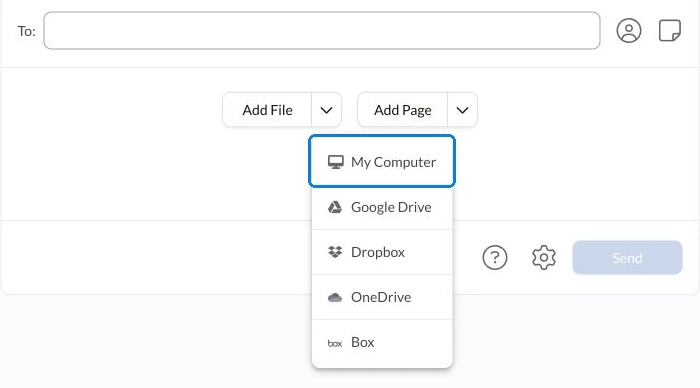
For example, a form can be signed while an attachment is still being prepared. The staff member assembling the outgoing packet should be able to identify both the completed signed form and the remaining document before sending.
Check the records staff will use afterward
During the evaluation, ask an authorized colleague to locate the completed signed file and the corresponding fax result using your agency’s document reference. Keep the records in the approved client-file process.
Treat signature completion and successful fax transmission as separate checkpoints. Record any required recipient acknowledgment or further response separately, using that recipient’s current instructions.
Finish the comparison with a short purchase specification: fax sending and receiving needs, authorized staff, signing features, ongoing allowances and the demonstrated file handoff. That gives the agency a practical basis for choosing both tools and introducing them to staff.
FAQs
How should an agency estimate fax usage when most documents are signed online?

Count the documents that actually require fax, including cover sheets and supporting pages. Distinguish outgoing-only tasks from work requiring incoming fax replies, then check the allowance and applicable extra charges.
What should staff demonstrate when evaluating fax and signing together?
Use a controlled file to demonstrate signing, retrieving the completed version, assembling the outgoing packet and locating the fax result. Check that authorized cover staff can follow the same document reference.
What should an agency request in a two-product quote?
Specify the fax numbers, staff access, expected fax usage and signing features required. Ask for each product’s ongoing plan and allowances, applicable extra charges and the terms of any trial or promotion.




Confédération Suisse
Confederazione Svizzera
Confederaziun Svizra
Swiss Confederation
Innosuisse - Swiss Innovation Agency




