


Check retirement form return instructions before faxing. Review applicable signatures, original-document requirements and administrative follow-up.


- Use the current form and return instructions for the particular plan and request.
- Confirm which documents may be faxed and which require another route.
- Check the signature sections that apply to the request before assembling the packet.
- Identify a corrected page or replacement form clearly when following up.
- Track transmission separately from administrative review and distribution processing.
A retirement distribution form may be ready to return except for a signature or a supporting document. Before faxing, establish what the plan administrator requests and whether fax is accepted for that particular packet.
The return route is part of the form’s instructions. A fax number on one retirement form does not establish that every request, signature method or original document can use it. This article covers document preparation and follow-up, not which distribution to choose.
Use the current plan instructions
Obtain the form from the plan administrator or its official service channel. Check that it matches the account and request type and read the return instructions before completing the document.
Requirements can differ even within retirement services. Vanguard’s rollover guidance explains that some plans accept copies or electronic signatures while others require original paperwork or particular signature formalities. Confirm the rules for your actual request rather than treating that guidance as a universal form checklist.
Ask the administrator which parts may be faxed and whether anything must be mailed or submitted another way. Resolve that question before creating a fax copy of a document whose original is required.
Check the applicable signatures
Read each signature section and its conditions. Identify which person must sign, where a date is required and whether another authorization or certification applies.
Ask about an unclear signature requirement before substituting a method. A typed name, an electronic signature and an original signature are not interchangeable merely because the form can be uploaded or faxed.
If the administrator identifies a missing signature, ask whether it wants a replacement page or a complete corrected form. Follow that instruction and preserve the relationship to the initial submission.
For example, “Corrected form for request [reference], replacing submission dated [date]” can clarify the purpose of a repeat packet when the administrator accepts that wording. Do not backdate a signature or change another person’s certification.
Prepare the accepted fax copy
Review all required pages and attachments against the current instructions. Confirm that entries, dates and signatures are readable and that both sides of a form are included when requested.
Where fax is accepted, attach the reviewed documents in Fax.Plus and verify the administrator’s designated number. Use only the identifying and routing information the recipient requests in the appropriate locations.
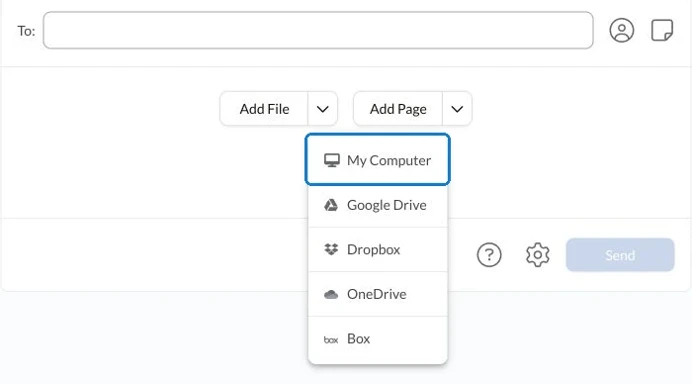
For a one-off transmission, the Fax.Plus occasional-sending guide explains the available sending approach. Check the packet size, destination and applicable charges before committing to a service or sending.
Follow the request through administrative review
Check the fax result and retain the transmission report with the exact submitted version. Then use the administrator’s stated process to ask whether the documents have been associated with the request and whether anything further is needed.
Successful transmission is separate from a distribution being processed. Record the administrator’s response and any correction requested. Seek appropriate professional guidance for financial, tax or legal decisions rather than inferring them from the form’s administrative status.
FAQs
How can I check whether a retirement form may be faxed?

Read the current return instructions and confirm with the plan administrator for the specific request. Ask separately about any document requiring an original signature, guarantee, notarization or another submission route.
What should I ask when the administrator reports a missing signature?
Ask which section and signer are required and whether to send a replacement page or a complete corrected form. Use the accepted signing method and connect the correction to the existing request.
What should I keep after faxing retirement paperwork?
Keep the exact submitted version, relevant transmission report and administrator’s response through your records process. Track outstanding administrative requirements separately from distribution processing.




Confédération Suisse
Confederazione Svizzera
Confederaziun Svizra
Zwitserse Bondsstaat
Innosuisse - Zwitsers Innovatieagentschap




