


Replace an analog fax line with a tested sending and receiving workflow. Check the number, people and equipment before closing the old service.


- A fax-line replacement must cover the number, connected equipment, receiving staff and retained documents.
- Keeping a physical fax machine and moving the fax workflow online are different replacement routes.
- Number-porting eligibility depends on the number, country, current provider and account information; US ported numbers require Premium or higher.
- Allow about two to four weeks for porting, and keep the old service active until transfer completion is confirmed.
- Test sending, receiving, page readability and staff access before closing the old arrangement.
Move the fax workflow, not just the phone line
Switching from analog to digital fax means changing how documents are sent and received while keeping the fax contacts, staff responsibilities and records your office needs. A replacement subscription is only one part of that work. The number transfer, access setup and final cancellation need to happen in the right order.
A POTS line is an analog phone line used by many traditional fax machines. When that connection changes, there are two separate decisions: whether to retain a physical fax device, and where incoming documents should arrive afterward. Cloud fax can remove the need for an analog fax line at your location; it does not replace every other service connected to that line.
Start with the actual line and the people who use it
Prepare your fax-line replacement
Answer four questions to narrow the preparation checklist. This tool organizes your next steps; it does not confirm number eligibility, device compatibility or a completed migration.
If a carrier notice triggered the project, record its service-specific date and contact instructions. Our guide to landline changes and fax compatibility explains why copper retirement, a phone-service change and losing fax capability are different events. Use the relevant AT&T fax-line transition checks or Verizon copper-retirement fax guidance for the carrier details.
Choose how staff will fax after the change
Retain the physical device
A replacement voice service may support an analog fax machine through its own equipment or an adapter. Ask the provider about the exact service and fax model, including receiving, multi-page transmission and power-loss arrangements. An analog socket alone does not establish that the complete fax workflow will work reliably.
If this is the route you need, the existing fax-over-VoIP setup and compatibility guide covers the technical questions. Keep the final choice tied to tests on your own equipment rather than a promise that every adapter works with every fax machine.
Move sending and receiving online
With Fax.Plus, users can send and receive through an online account without maintaining an analog fax line or fax machine at their location. This changes the staff workflow: decide who will upload or scan documents, who will check incoming faxes and how required records will be retained.
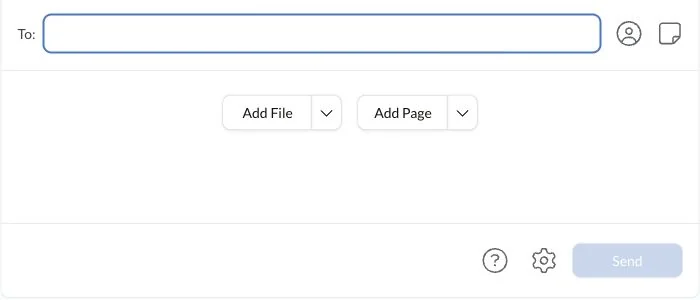
A multifunction printer does not automatically become a native Fax.Plus device. Compatible devices can use configured Scan to Email or Email to Print routes; others need a manual file workflow. Follow the printer and scanner faxing instructions for those specific arrangements.
Compare the actual costs
Use the office's current bill rather than a generic national POTS price. Compare the line charge, equipment upkeep and support work with the replacement service's plan, numbers, page usage, devices and any setup costs. Check other services in the same bundle before assuming that removing fax removes the whole bill.
For an occasional sender, ongoing receiving needs matter more than the number of outbound pages alone. For a team, check member assignments and usage with the expected receiving arrangement. A cloud service can change the cost structure without guaranteeing the same saving for every office.
Check the existing number before committing to the cutover
Confirm number-porting eligibility before relying on the old number in the new service. Country, number type, current provider and account information can affect the transfer. A fax number being available to purchase in a country does not establish that every existing number from that country can be ported.
Use the Fax.Plus number-porting request and requirements to check eligibility. Prepare the requested authorization and current billing details, and make sure the account holder and service information match the existing provider's records. For US numbers, a ported number requires Premium or higher; requirements differ by country.
Allow about two to four weeks for a port, subject to carrier response and correct documentation. An eligibility reply is not the completed transfer. A temporary number can support setup and tests while the existing number awaits its confirmed transfer date; it does not mean the same number automatically receives faxes at both providers.
Keep the existing service active until Fax.Plus confirms that the number transfer is complete. Ask the old provider what happens to any remaining bundled services and charges. Do not assume that a port is a general cancellation instruction for every service on the account.
Configure receiving access before the transfer date
Set up the people who need to receive faxes, their roles and the number assignments. Have an intended receiver sign in and check the expected incoming view. Test the covering colleague too. Administrative status and access to every person's sent documents are separate questions, so verify the actual permissions the office needs.
For a clinic handling PHI, or another PHI workflow, Fax.Plus requires Enterprise, a signed BAA and enabled Advanced Security Controls. Review the existing HIPAA cloud-fax setup requirements before sending protected information. A familiar email or printer workflow does not by itself establish the required configuration.
Give staff a short procedure for sending, checking status, finding incoming documents and reporting a problem. Keep it specific to the route selected: an online account, a configured printer workflow or a retained device. Document who will manage the transfer and who can contact each provider.
Test the result before closing the old arrangement
Use controlled test documents and agreed contacts. Check both directions, including a multi-page document and the information that identifies its intended destination. Confirm that the received pages are complete and readable and that the correct staff member can retrieve them.
- Sending: the intended user can prepare the document, choose the destination and find its result.
- Receiving: the expected number delivers a document to the authorized receiver.
- Readability: page count, small text and relevant marks remain usable.
- Access and cover: the main receiver and covering colleague can perform their assigned tasks.
- Records: staff can retain the document and confirmation according to the office's process.
A successful fax status records acknowledgement from the destination fax system. It does not establish that a particular person read the pages or accepted a filing. For an important submission, use the recipient's own instructions to confirm any further acceptance requirement.
Record the test result and any unresolved issue. Around the confirmed transfer date, check routing again on the transferred number and keep a clear escalation contact. Plan how the office will communicate if sending or receiving is interrupted; backup power or connectivity can support a plan without guaranteeing uninterrupted end-to-end service.
Close the migration with a recorded handover
After transfer confirmation and successful checks, follow the providers' instructions to close the old fax arrangement. Retain the transfer confirmation, final test results and any final billing correspondence. Confirm which equipment and other services remain in use before disconnecting anything.
The migration is complete when staff can send, receive and retrieve the documents they need, ownership is clear, and the old arrangement has been closed on the confirmed terms. The aim is a working fax process that the office can maintain after the project owner steps away.
FAQs
What does replacing a POTS fax line involve?

Decide whether to retain the physical fax device or move sending and receiving online, then coordinate number eligibility, access, tests and cancellation. Other equipment sharing the line needs a separate replacement review.
Can we set up the new fax workflow before the existing number moves?
A temporary number can support setup and controlled tests while the existing number awaits transfer. Recheck incoming routing and staff access on the transferred number after completion.
What should staff check before signing off a fax migration?
Check sending, receiving, page completeness, readability and authorized access. Record the result, the person responsible for incoming documents and the contact for unresolved problems.


精选文章
查看全部





Confédération Suisse
Confederazione Svizzera
Confederaziun Svizra
瑞士联邦
Innosuisse - 瑞士创新署


