


Best Online Fax Service in 2026: Tested and Compared Across 9 Providers
Faxing did not die when email arrived, and it is not dying now. Healthcare, legal, insurance, and government workflows still run on it every day. So instead of repeating marketing pages, we did what we always do in this series: we signed up, paid where we had to, sent the same documents through every service, and wrote down what happened. If you just want the short version: for most people, the right pick comes down to what you fax and how often. We break down who each service is actually for below, including two free options at the end, and we finish with the one we would pick if we had to choose just one.


- Best overall: Fax.Plus, for individuals through full enterprise deployments
- If you need niche healthcare interoperability tools: eFax
- If you are a solo practice and price is no issue: Documo
- Best for occasional, low-cost sending: Dropbox Fax
- Best flat-rate unlimited plan: HumbleFax
- Best mobile-first HIPAA on a budget: iFax
- Best low-cost HIPAA at low volume: SRFax
- Best free options: FaxZero for one-off sending, FaxBurner for receiving
How We Tested
- Created a real account with every service and used it on every platform offered: web, mobile, desktop, email-to-fax
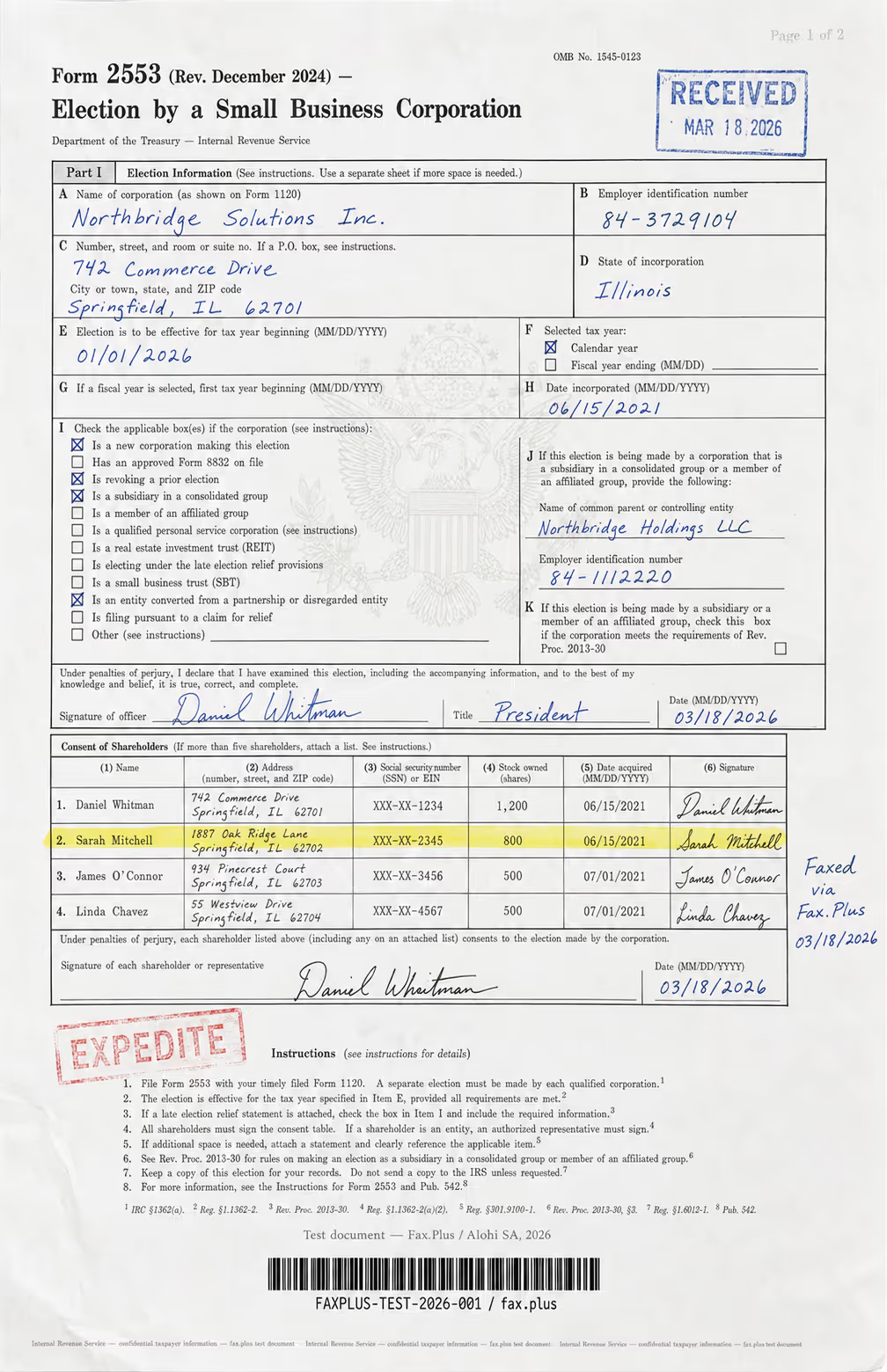
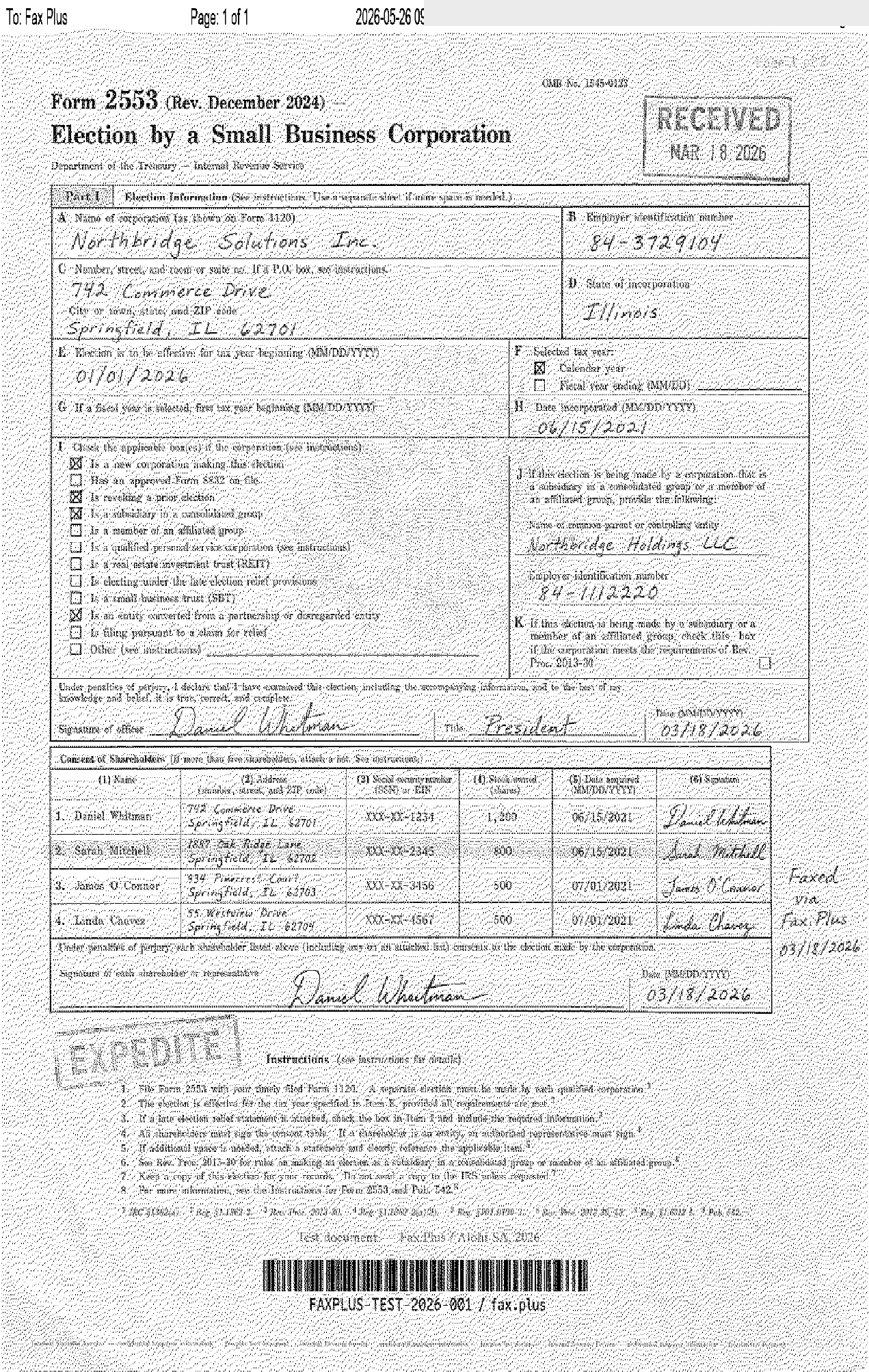
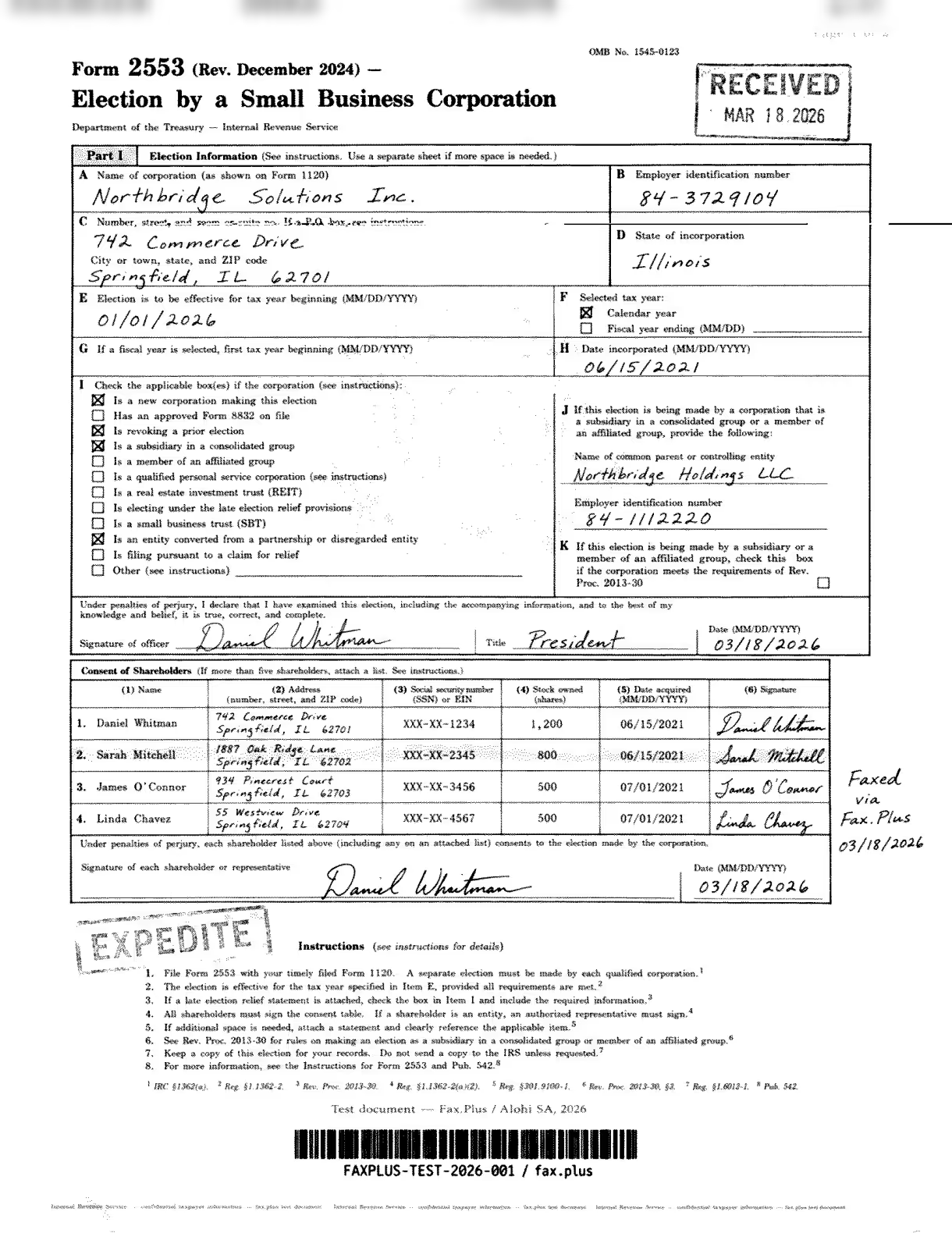
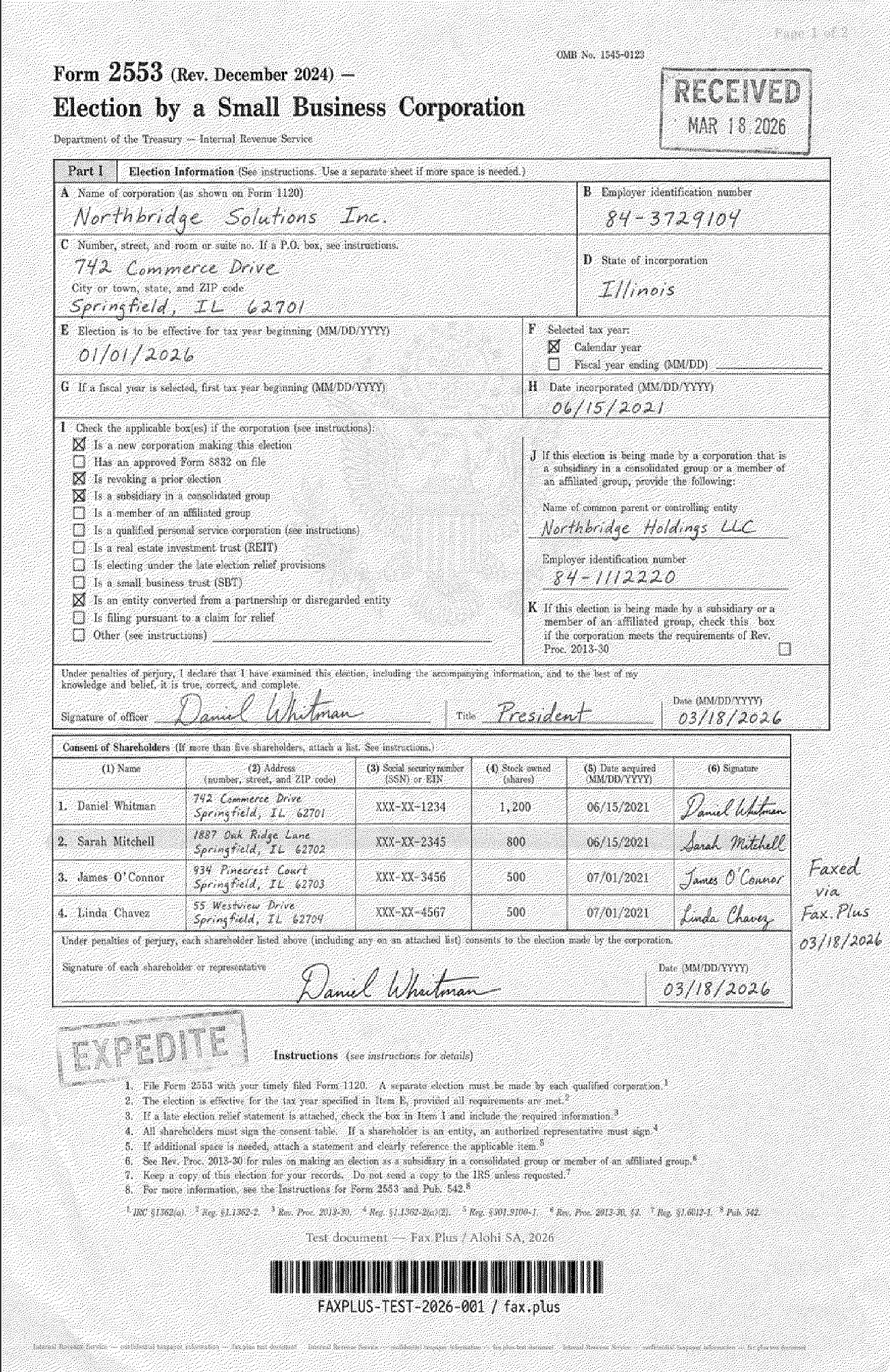
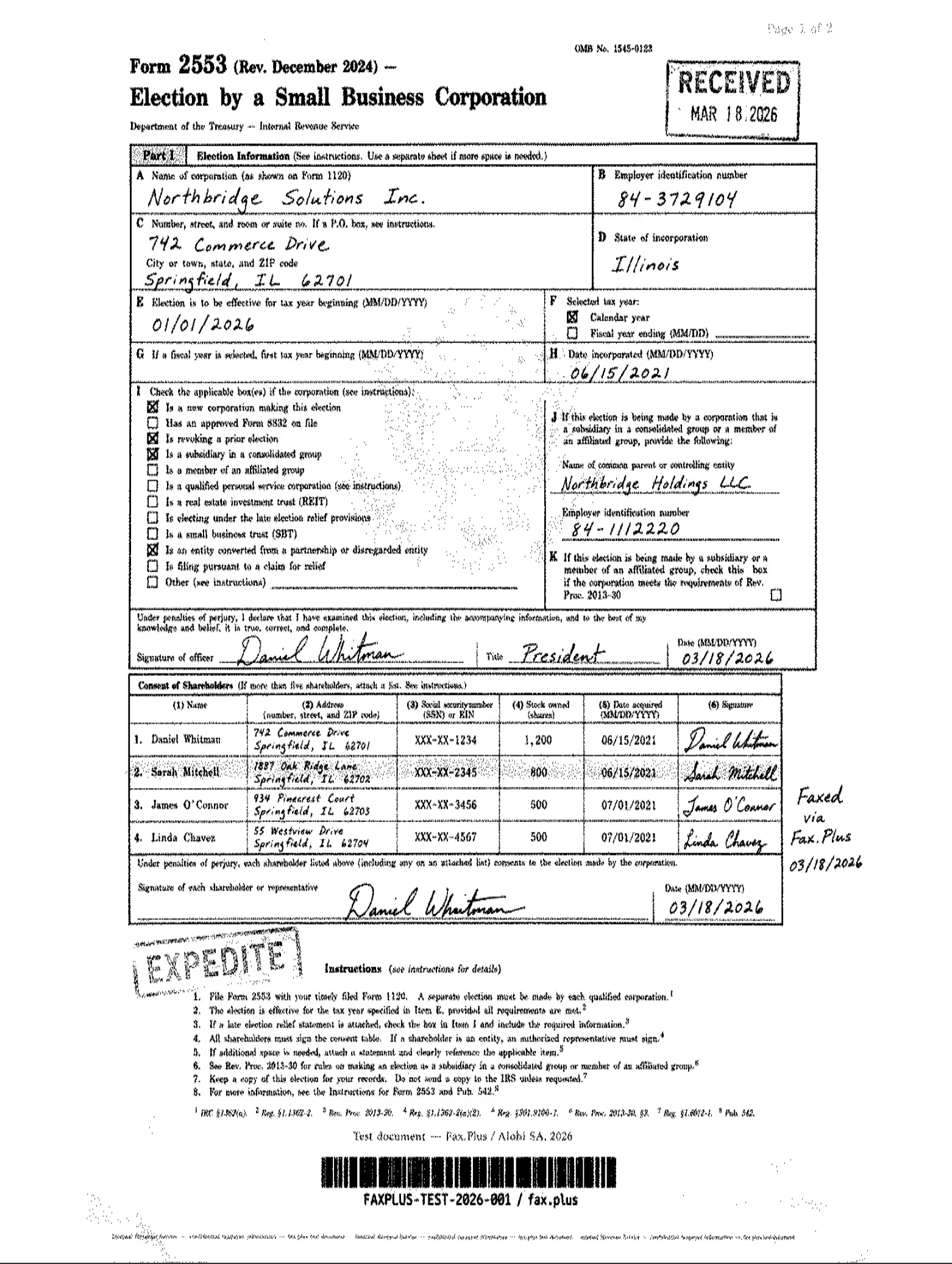
- Ran a baseline fax quality test on all nine using a simulated IRS Form 2553 with fine print, stamps, and signatures (fictional data)
- Ran a second test with a simulated healthcare lab results form, but only on services that actually offer HIPAA compliance and a BAA
- Checked every price and billing claim against each provider's own live website
- Checked security certifications, HIPAA and BAA coverage, API access, and healthcare automation
We do not score each service across seven categories in this roundup the way we do in our individual reviews. This is a comparison, and each verdict below draws on that testing plus the full review, which we link in every section for the detailed scoring and quality comparisons.
What Do All These Fax Compliance Terms Mean?
Fax marketing pages throw around a lot of acronyms, so before the list, here is what they actually mean.
HIPAA, BAA, and PHIPA
HIPAA is the US law protecting patient health information. A BAA, or Business Associate Agreement, is the signed contract that makes a fax provider legally accountable under it. This is the single most important distinction on this page: without a BAA, "HIPAA-compliant" is just a marketing word. PHIPA is Ontario's equivalent for Canadian healthcare.
The security certifications
ISO 27001 means an independent auditor verified the whole company manages security properly, not just one product. SOC 2 Type II means an auditor watched the security controls actually work over months, not just on paper. PCI DSS is the standard for handling card payments safely. CSA STAR is a cloud-specific security registry. HITRUST is healthcare's strictest framework, essentially HIPAA with a much tougher independent audit behind it.
The short version: these mean someone outside the company checked, repeatedly. When a provider claims compliance without any of these, you are taking their word for it.
The tech terms
EHR means electronic health records, the software clinics live in, like Epic or Cerner. An API is the standard way for software to talk to other software, and a webhook is the automatic notification your own system receives when a fax arrives or fails. MCP is the newer standard that lets AI assistants like Claude use outside tools directly. And data residency is simply the choice of which country your documents physically live in.
Quick Comparison
1. Fax.Plus, Best Overall
We use Fax.Plus as the reference baseline across this entire review series, which means every service below got compared against it on the same documents. That is worth being upfront about. It is also why we can say with some confidence where it stands.
What we found in testing
It is the only service in this roundup that covers every surface at once: iOS and Android apps rated 4.8/5 and 4.7/5, desktop apps for macOS and Windows, a web app, and email-to-fax, all on one account. We tested every one of those workflows, sending from the web dashboard, the desktop app, and the phone, and receiving back into the same inbox, and each one worked quickly and intuitively without needing to think about which platform we were on. Scanning a paper document with the phone camera and faxing it took under a minute.
On quality, we compared everyone at Standard resolution, since not every provider on this list offers a higher tier and that is the only fair baseline across all nine. At Standard, Fax.Plus kept fine details, microprint, stamp edges, faint watermarks, and handwriting that other services lost or turned gray. That is the output we held everyone else against. Fax.Plus also offers an HD mode for even cleaner results, worth mentioning since some competitors charge extra credits to get there.

Pricing, scaling, and the enterprise side
The Basic plan is $6.99 a month for 200 pages if you pay annually, or $8.99 month to month, and the free tier gives 10 pages total with no credit card. The same account scales through Basic, Premium, and Business all the way to Enterprise without migrating anywhere or relearning an interface, a path we could not match anywhere else on this list. Fax.Plus counts the United Nations, PwC, IBM, Airbus, Roche, Philips, Harvard University, and Cloudflare among its Enterprise customers.
Security runs on ISO 27001 at the organization level, audited by EY CertifyPoint, plus SOC 2 Type II, PCI DSS, and CSA STAR. The Enterprise plan adds HIPAA with a signed BAA at unlimited users, native EHR integrations with Epic, Cerner, athenahealth, and NextGen, Fax Streaming for page-by-page delivery of incoming faxes instead of waiting for the last page to arrive, HIPAA-compliant email-to-fax under the same BAA, and data residency selectable across 20 or more regions, which nobody else on this list offers. For developers, there is a full REST API with public SDKs plus an MCP server, the only one we found in the category, so an AI agent can send a fax and check whether it arrived just by being asked to, no custom integration project needed.
Best for: Anyone who wants one account that works the same on a phone, a laptop, and in a regulated enterprise workflow, and that can keep scaling for years without a painful switch.
2. eFax, Best for Healthcare Interoperability Tools
eFax has been doing this since the 1990s, and it is in the middle of modernizing. A redesigned web portal exists alongside the old one, but it isn't there yet.
What we found in testing
The compliance paperwork is there. HITRUST certification sits alongside HIPAA, SOX, GLBA, and PCI-DSS. There is also a healthcare interoperability suite, eFax Unite, eFax Clarity, eFax Conductor, aimed at connecting record systems, structuring scanned faxes, and routing documents, which goes deeper than anything else here except Fax.Plus and Documo.
The day-to-day experience is more mixed. There is a redesigned web portal, and it is noticeably more modern, but the old interface still runs alongside it, and the new one stutters in places and has corners that clearly are not finished yet. The desktop app we installed on a Windows 11 machine still feels like an old Outlook client, there is no macOS app at all, and the iOS app crashed on us while attaching from the photo library. Fax quality landed at 3.5/5 in our test, with a consistent gray background on both Standard and Fine output.
Standard
 Standard
API and integrations
eFax publishes a public API overview with REST endpoints, webhooks, and OAuth 2.0, plus SDKs for Python, Java, and C#, more built out on paper than most mid-tier services in this list. Sandbox access and production keys, though, sit behind a private developer portal that requires a sales call. The separate eFax Unite, eFax Clarity, and eFax Conductor products add healthcare interoperability on top, aimed at large-scale record system connections rather than the everyday integration a small team needs.
The pricing catch
The Personal plan is $18.99 a month for 200 pages, and it does not include a BAA. That only appears on the $39.99 Business plan. And buried in the terms is a 60-second rule: any page that takes longer than a minute to transmit counts as more than one page. Here is the insider context on that one: fax carriers bill each other by transmission time, not by page, so a dense scan or a photo-heavy document that transmits slowly costs eFax more, and this clause passes that cost to you. Most people never read it, then wonder why their 200-page allowance ran out at 140.
For the full quality breakdown and category scoring, see our eFax review.
Best for: Organizations that specifically need eFax's niche interoperability tools and are comfortable paying enterprise prices for them.
3. Dropbox Fax, Best for Occasional, Low-Cost Sending
Dropbox Fax is what HelloFax became after the acquisition, and for sending the odd fax from a desk, it is the cheapest credible option we tested.
What we found in testing
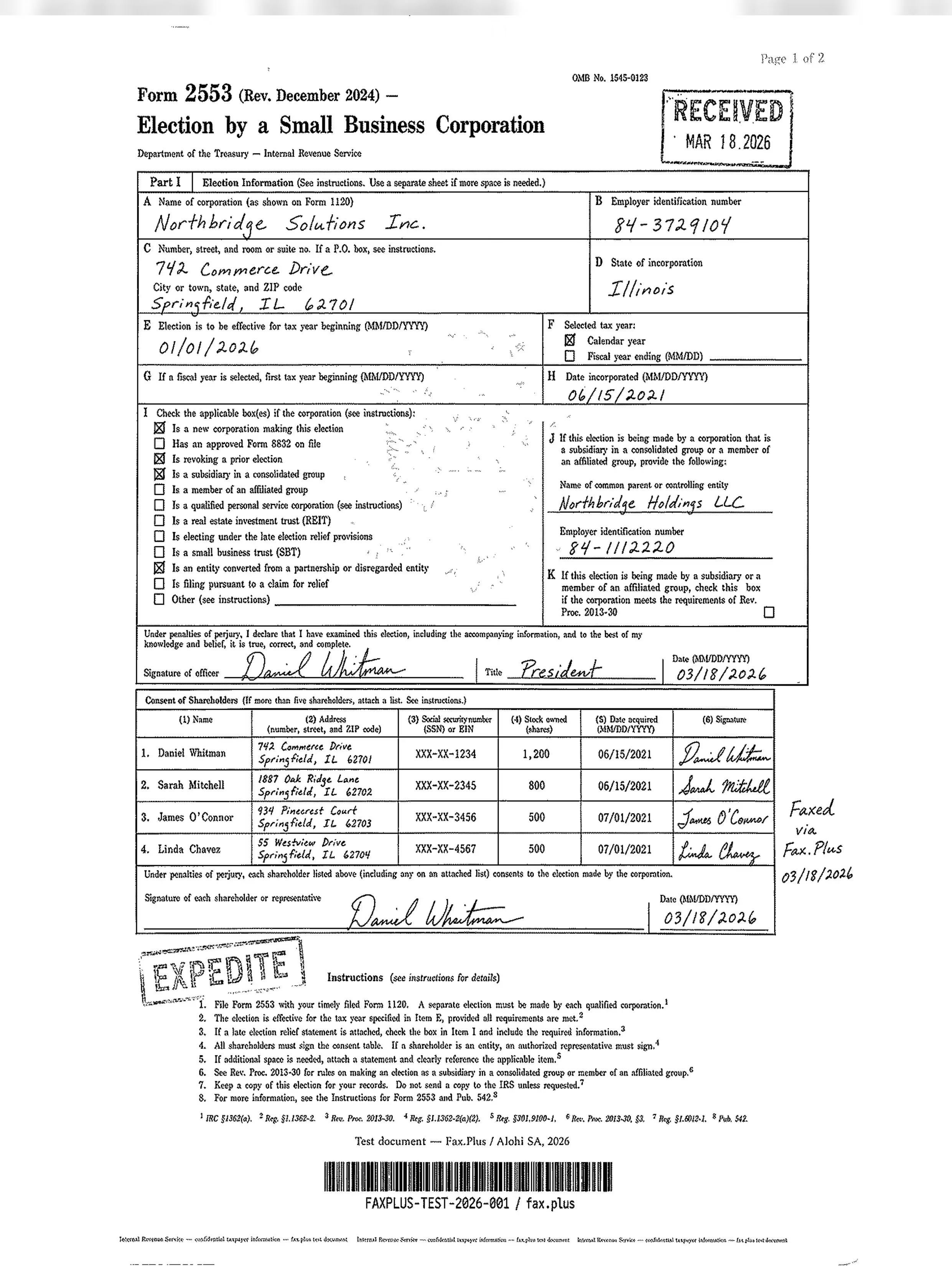
The free plan gives 5 pages with no credit card. Pay-as-you-go costs $0.99 for up to 10 pages with no subscription at all, and the $9.99 Home Office plan covers 300 pages a month, roughly 3.3 cents per page, the lowest subscription rate in this roundup. Quality surprised us: its output beat both eFax and iFax at their default tiers, with a cleaner background and less dithering, though a recurring streak artifact kept it from matching the reference output.
Standard
 Standard
API and integrations
Dropbox Fax's Fax API lives inside the Dropbox Sign developer docs and covers five endpoints: send, retrieve, list, download, and delete. It also connects natively to Dropbox, Google Drive, Box, and OneDrive for uploads. Access still requires contacting support to upgrade, and the public docs skip API pricing, webhook details, and OAuth, gaps that leave a developer unable to scope cost or integration before reaching out. There is no MCP server for AI-agent workflows.
Where it stops
The moment your needs grow, the product does not. There is no iOS or Android app of any kind, so mobile faxing means a browser tab. No self-serve plan includes HIPAA or a BAA, which rules it out for health data entirely. And when we needed support, the only channel was a web form. No phone, no chat, on any plan.
For the full quality breakdown and category scoring, see our Dropbox Fax review.
Best for: Desk-based individuals who fax occasionally and will never need HIPAA, a mobile app, or someone to call.
4. iFax, Best for Mobile-First HIPAA on a Budget
iFax's pitch is HIPAA without enterprise pricing, and on paper it delivers: a signed BAA from the $24.99 Plus plan, below eFax's $39.99 Business tier.
What we found in testing
The mobile reputation is earned. The iOS app holds 4.5/5 across more than 35,000 ratings, and the send flow is quick. Developers also get a self-serve REST API without a sales call, which is rarer in this category than it should be.
The output was the letdown. Standard quality came through with a heavy gray background and dithering on both our test documents, and getting clinical-grade output meant paying for HD+ at three credits per page. The $12.49 Basic plan turned out to be send-only, so receiving anything requires the higher tier from day one.
 Standard
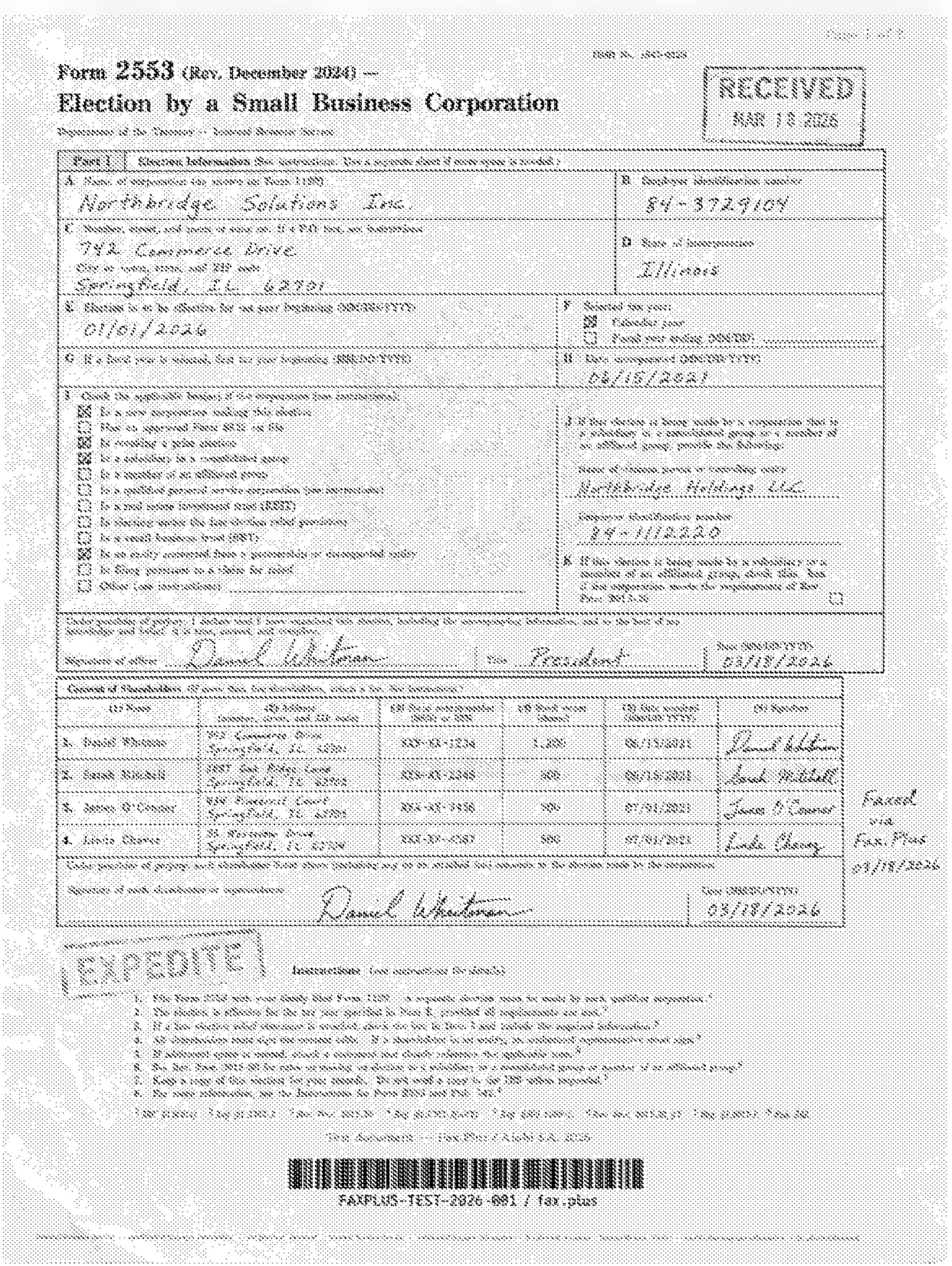
 Standard
API and integrations
iFax's REST API is self-serve, no sales call needed, and covers sending, receiving, AI data extraction, and number purchasing, with SDKs in six languages and webhook support. It ties to the $33.33/month Pro plan, though iFax also lists a separate standalone API product at a different price on its own page, an overlap worth clarifying before you buy. Neither OAuth 2.0 nor an MCP server appear in its public docs, which limits it to single-tenant, server-side integrations rather than multi-tenant apps or AI-agent workflows.
Read the billing terms first
Auto top-up switches on by default at 95 percent usage. Public records show an F rating at the Better Business Bureau and a documented pattern of charges continuing after users believed they had canceled. Keep your confirmation emails.
For the full quality breakdown and category scoring, see our iFax review.
Best for: Small healthcare practices that want a cheaper self-serve path to a BAA and are willing to watch their billing closely.
5. SRFax, Best Low-Cost HIPAA at Low Volume
SRFax sits in the same Consensus family as eFax and MyFax but gets far less attention, and our testing suggests it deserves a bit more than it gets, within limits.
What we found in testing
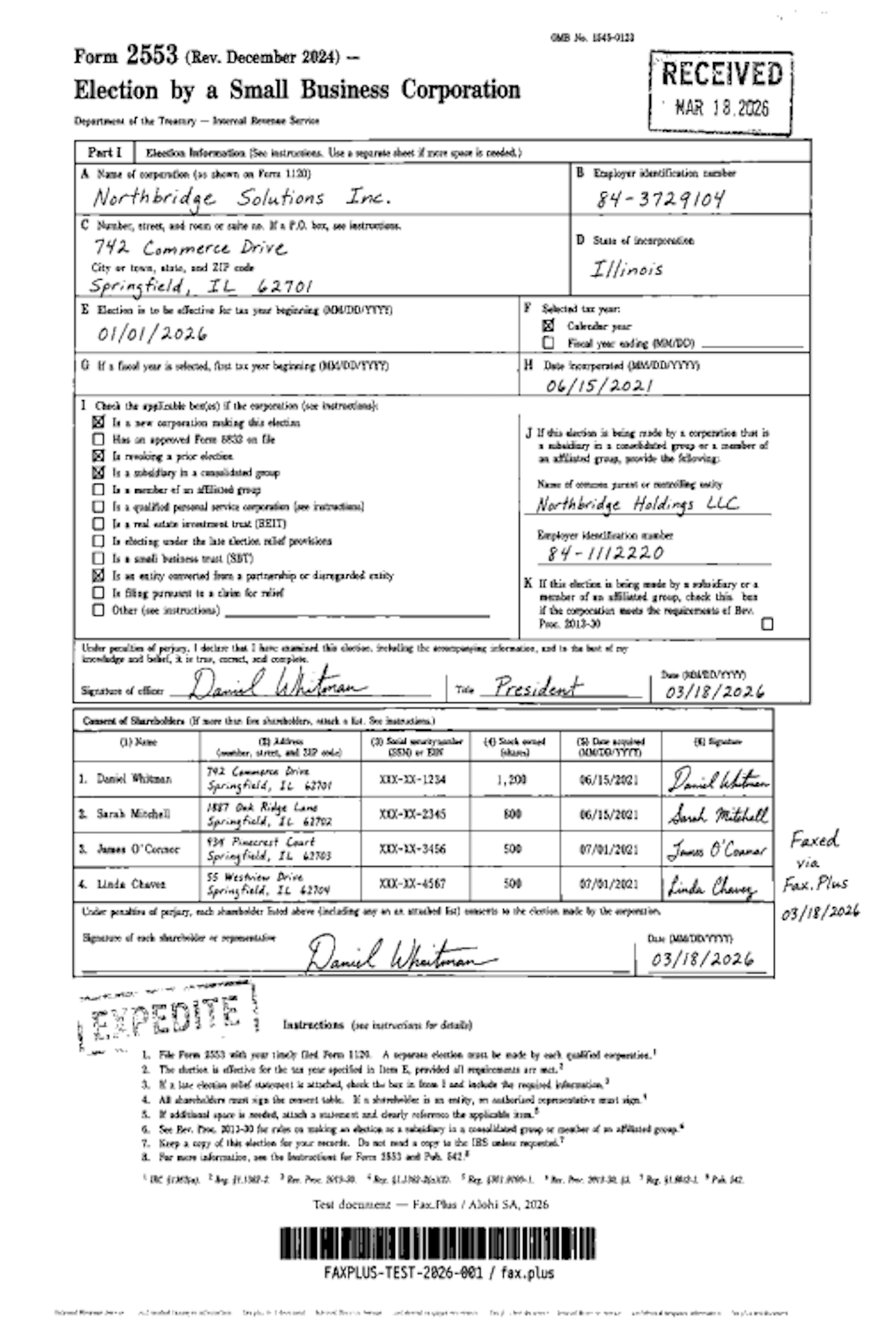
Fax quality scored 4/5, on par with the reference Standard output on our test documents, which very few services on this list managed. The Standard Lite plan starts around $7.65 a month for 200 pages, and the healthcare plans are the cheapest signed-BAA option we found anywhere, from about $12.60 a month. Canadian healthcare customers also get PHIPA coverage, which almost nobody else mentions.
Standard
API and integrations
SRFax publishes a documented Internet Fax API that comes standard on every plan, unlike Documo's gated, paid-tier version. The implementation shows its age: HTTPS POST returning JSON or XML, a downloadable PHP helper class, and authentication via account number and password rather than API keys or OAuth, with no webhook support. On the healthcare side, SRFax has documented integrations with IntakeQ/PracticeQ and Juvonno, but not with Practice Fusion, despite that being the EHR most practices ask about.
Where it falls short
Everything around the fax itself. There is no mobile app of any kind, the web interface has not been meaningfully redesigned in years, and SRFax publishes no security certifications, no ISO 27001, no SOC 2, so its compliance claims rest on trust rather than paper. Watch the small fees too: cover pages are charged, and they add up faster than the headline price suggests.
For the full quality breakdown and category scoring, see our SRFax review.
Best for: Solo practitioners who fax a moderate volume, need a signed BAA cheaply, and work from a desk.
6. Documo, Best for Solo Practices If Price Is No Issue
Documo, formerly mFax, is the most expensive way into this list at $25 a month for 300 pages, and that price only holds if you pay annually. Documo does not require an annual contract, a month-to-month plan is available, but on every tier we checked, going month to month costs about 20 percent more. It is aimed at one buyer very deliberately.
What we found in testing
A signed BAA comes on every plan, not gated behind a higher tier, and Documo also offers healthcare-focused tools for connecting fax workflows with supported EHR systems.
Standard

API and integrations
Documo publishes a REST API with OAuth 2.0, API key authentication, and webhook support, and its documentation gets solid marks from developers. The catch is access: the API only opens up on the Business plan at $150 a month, well above iFax's cheaper self-serve tier. Higher plans also add OCR, document classification, and healthcare integrations, but there is no MCP server for AI-agent workflows.
Where the math breaks
The price works for one person and stops working the moment a team shows up. Ten users on the Business plan costs $150 a month, fifty on Enterprise costs $300, while a comparable HIPAA setup elsewhere in this list runs $99.99 a month with unlimited users, or less if paid annually. There is no Android app, only iOS, and data stays fixed in the US and Canada with no region choice.
For the full quality breakdown and category scoring, see our Documo review.
Best for: Solo healthcare practitioners who want document automation and a BAA on day one, expect to stay solo, and are not price sensitive.
7. HumbleFax, Best Flat-Rate Unlimited Plan
HumbleFax has exactly one plan, and we respect the clarity: $10 a month, unlimited pages sent and received, up to 10 users, no overage fees.
What we found in testing
The quality genuinely surprised us at this price. Output came through on clean white paper on both resolution tiers, ahead of eFax and on par with Dropbox Fax in our tests. It also ships a REST API, webhooks, and a Zapier connector at no extra cost, which is an unusual amount of developer access for $10.
Standard

API and integrations
HumbleFax ships a genuine REST API in its standard $10 plan rather than gating it behind a sales call, with JSON responses, webhooks for inbound and sent-fax notifications, and an official Zapier connector, an unusually developer-friendly package at this price. Authentication is HTTP Basic rather than OAuth, and there is a 5-requests-per-second rate cap, but neither is a dealbreaker for the automation most small teams build. There is no MCP server and no EHR integrations.
What $10 does not buy
There is no free trial, so a card is required and billing starts immediately. There is no HIPAA plan or BAA of any kind. There is no mobile app, so faxing on the move means a browser or email. And the customer agreement reserves the right to move heavy senders off the unlimited plan, which we would want to know before building a business process on it.
For the full quality breakdown and category scoring, see our HumbleFax review.
Best for: US and Canadian individuals or small businesses that fax regularly, never touch health data, and want one flat price.
8. FaxZero, Best for Free One-Off Sending
FaxZero is what most people find when they search for a free fax, and for what it is, it works.
What we found in testing
You get up to five free faxes a day to US and Canada numbers, three pages plus a cover sheet each, with no account and no credit card. In our test, the output stayed on a clean white background, which is more than some paid services on this list managed.
The limits are the whole story. It is send-only, so there is no way to receive anything. Free faxes carry FaxZero branding, and here is the part that trips people up: the fax does not actually send until you click a confirmation link in your email, and that email loves landing in spam. And FaxZero keeps sender and recipient details on file indefinitely, with no security certifications behind it, so we would not put anything confidential through it.
For the full experience, including the paid Almost Free option, see our FaxZero review.
Best for: Sending an unimportant three-page fax once, for free, and moving on with your day.
9. FaxBurner, Best for Free Fax Receiving
FaxBurner solves one narrow problem well: you need to receive a fax and you do not have a fax number.
What we found in testing
The free tier gives you a temporary number that lasts 24 hours at a time, 25 inbound pages a month forever, and 5 outbound pages total, lifetime. For catching the occasional incoming fax on your phone, that is genuinely useful and genuinely free.
Beyond that one job, the limits pile up. The temporary number changes, so nobody can keep you on file. Outbound faxing is close to symbolic on the free tier. There is no HIPAA coverage, no advanced encryption, and quality on image-heavy documents was noticeably weaker in our testing, so anything confidential or important belongs elsewhere.
For the temporary number model in detail, see our FaxBurner review. We also cover both FaxZero and FaxBurner alongside every other free option we tested in our guide to the best free online fax services.
Best for: Receiving the occasional fax without paying for anything or committing to a number.
So Which One Should You Pick
After running the same documents through all nine, a pattern kept repeating. Every service on this list is good at one thing and gives something up for it. Dropbox Fax is cheap but stops at the desk. HumbleFax is unlimited but walks away from healthcare entirely. iFax and SRFax get you a BAA cheaply, but one asks you to babysit your billing and the other asks you to trust unaudited security claims. eFax and Documo go deeper on healthcare workflows, but both get expensive quickly. FaxZero and FaxBurner are free precisely because they only do one thing each.
The question we kept coming back to was simpler: which of these would we still be happy with in three years, after the team grew, after compliance requirements showed up, after someone asked for an API integration? Only one service on this list never forced that conversation. It was the one whose free tier we started on, whose compliance stack (HIPAA, ISO 27001, SOC 2) never needed a second look as the account grew, and whose API and MCP support meant integration was never the blocker. Every surface, from the mobile app to the web dashboard, was intuitive enough to use without a manual. That is why Fax.Plus sits at the top of the table, not because it wins every single line item, but because it is the only one that never made us plan our exit.
FAQs
What is the best online fax service overall?

Based on our testing, Fax.Plus, primarily because it held up across every category rather than excelling in one and collapsing in another: consistent quality, platform coverage from phone to desktop, and a path from a free plan to enterprise compliance without switching providers.
What is the best free online fax service?
For one-off sending, FaxZero, and for receiving, FaxBurner, both covered above. Fax.Plus also has a free tier, 10 pages total, no credit card, send-only like most free plans in this category, but with cleaner output and a full account behind it rather than a one-click web form. Our separate free fax guide, linked in the FaxBurner section, compares every free option we tested in detail, including which ones quietly renew and which are a one-time allowance.
Which online fax service is best for small businesses?
For most small businesses, the deciding factor is HIPAA. If you handle health data, compare Fax.Plus, iFax, and SRFax on their BAA terms. If you do not, HumbleFax's flat-rate plan is hard to beat on price alone.
Do I need HIPAA compliance for my fax service?
Only if you send or receive protected health information. And be careful with the wording: HIPAA compliance requires a signed Business Associate Agreement (BAA), not just "HIPAA-compliant encryption." Several services in this list advertise the second without including the first on their entry plans.


Featured Articles
See All



Confédération Suisse
Confederazione Svizzera
Confederaziun Svizra
Swiss Confederation
Innosuisse - Schweizerische Agentur für Innovationsförderung




