


Verstuur faxen vanuit uw CRM met Fax.Plus


Fax.Plus CRM-integratie

Automatiseer en vereenvoudig workflows

Zorg voor HIPAA-conform faxen

Betere dossiervorming
Krachtige fax-API voor CRM's
Fax.Plus biedt een robuuste maar eenvoudig te gebruiken fax-API die compatibel is met populaire ontwikkelplatforms zoals JavaScript, Node.js, Ruby, Python en Java. Authenticeer eenvoudig met OAuth 2.0 of persoonlijke toegangstokens (PAT's) en integreer uitgebreide faxfunctionaliteit in uw software.
Gebruik onze uitgebreide API-documentatie om maatwerk-faxoplossingen te bouwen, RESTful API's te benutten en realtimemeldingen te integreren via Webhooks.
1const axios = require('axios');
2const OutboxApiFp = require('@alohi/faxplus-api').OutboxApiFp;
3const Configuration = require('@alohi/faxplus-api').Configuration;
4
5const config = new Configuration({
6    accessToken: accessToken,
7    basePath: 'https://restapi.fax.plus/v3',
8    // Header required only when using the OAuth2 token scheme
9    baseOptions: {
10        headers: {
11          "x-fax-clientid": clientId,
12        }
13    }
14});
15
16async function sendFax() {
17    const reqParams = {
18        "userId": '13d8z73c',
19        "payloadOutbox": {
20            "comment": {
21                "tags": [
22                    "tag1",
23                    "tag2"
24                ],
25                "text": "text comment"
26            },
27            "files": [
28                "filetosend.pdf"
29            ],
30            "from": "+12345667",
31            "options": {
32                "enhancement": true,
33                "retry": {
34                    "count": 2,
35                    "delay": 15
36                }
37            },
38            "send_time": "2000-01-01 01:02:03 +0000",
39            "to": [
40                "+12345688",
41                "+12345699"
42            ],
43            "return_ids": true
44        }
45    }
46    const req = await OutboxApiFp(config).sendFax(reqParams);
47    const resp = await req(axios);
48}
49
50sendFax()
from faxplus import ApiClient, OutboxApi, OutboxComment, RetryOptions, OutboxOptions, OutboxCoverPage, PayloadOutbox
from faxplus.configuration import Configuration
outbox_comment = OutboxComment(tags=['tag1', 'tag2'],
text='text comment')
retry_options = RetryOptions(count=2, delay=15)
outbox_options = OutboxOptions(enhancement=True, retry=retry_options)
outbox_cover_page = OutboxCoverPage()
payload_outbox = PayloadOutbox(from='+12345667',
to=['+12345688', '+12345699'],
files=['filetosend.pdf'],
comment=outbox_comment,
options=outbox_options,
send_time='2000-01-01 01:02:03 +0000',
return_ids=True,
cover_page=outbox_cover_page)
conf = Configuration()
conf.access_token = access_token
# header_name and header_value required only when using the OAuth2 token scheme
api_client = ApiClient(header_name='x-fax-clientid', header_value=client_id, configuration=conf)
api = OutboxApi(api_client)
resp = api.send_fax(
user_id='13d8z73c',
body=payload_outbox
)<?php
require 'vendor/autoload.php';
$headers = array(
'Accept' => 'application/json',
'Authorization' => 'Bearer {access-token}',
// The x-fax-clientid header is required only when using the OAuth2 token scheme
'x-fax-clientid' => '{client ID}',
);
$client = new GuzzleHttp\Client();
// Define array of request body.
$request_body = ...; // See request body example
try {
$response = $client->request('POST','https://restapi.fax.plus/v3/accounts/{user_id}/outbox', array(
'headers' => $headers,
'json' => $request_body,
)
);
print_r($response->getBody()->getContents());
}
catch (GuzzleHttp\Exception\BadResponseException $e) {
// handle exception or api errors.
print_r($e->getMessage());
}
// ...package main
import (
"bytes"
"net/http"
)
func main() {
headers := map[string][]string{
// The x-fax-clientid header is required only when using the OAuth2 token scheme
"Content-Type": []string{"application/json"},
"Accept": []string{"application/json"},
"Authorization": []string{"Bearer {access-token}"},
"x-fax-clientid": []string{"YOUR CLIENT_ID"}
}
data := bytes.NewBuffer([]byte{jsonReq})
req, err := http.NewRequest("POST", "https://restapi.fax.plus/v3/accounts/{user_id}/outbox", data)
req.Header = headers
client := &http.Client{}
resp, err := client.Do(req)
// ...
}CRM-faxintegraties met Zapier, API en meer

Salesforce-faxintegratie binnenkort beschikbaar

HubSpot-faxintegratie binnenkort beschikbaar

Zoho CRM-faxintegratie

Pipedrive-faxintegratie

Microsoft Dynamics-fax
Integreer via Zapier voor meer opties
U kunt Fax.Plus via Zapier ook koppelen aan honderden andere applicaties, voor nog meer automatisering en flexibiliteit in uw faxworkflows.

Zonder code

Aangepaste flows

Apps koppelen

Blijft gesynchroniseerd
Veelgestelde vragen
Kan ik rechtstreeks vanuit mijn CRM faxen versturen en ontvangen?

U kunt uw CRM-workflows koppelen aan Fax.Plus via Zapier of een eigen API-integratie. Hoe uw team faxen verstuurt, inkomende faxen verwerkt en activiteiten in het CRM vastlegt, hangt af van de workflow die u configureert.
Met welke CRM's integreert Fax.Plus?
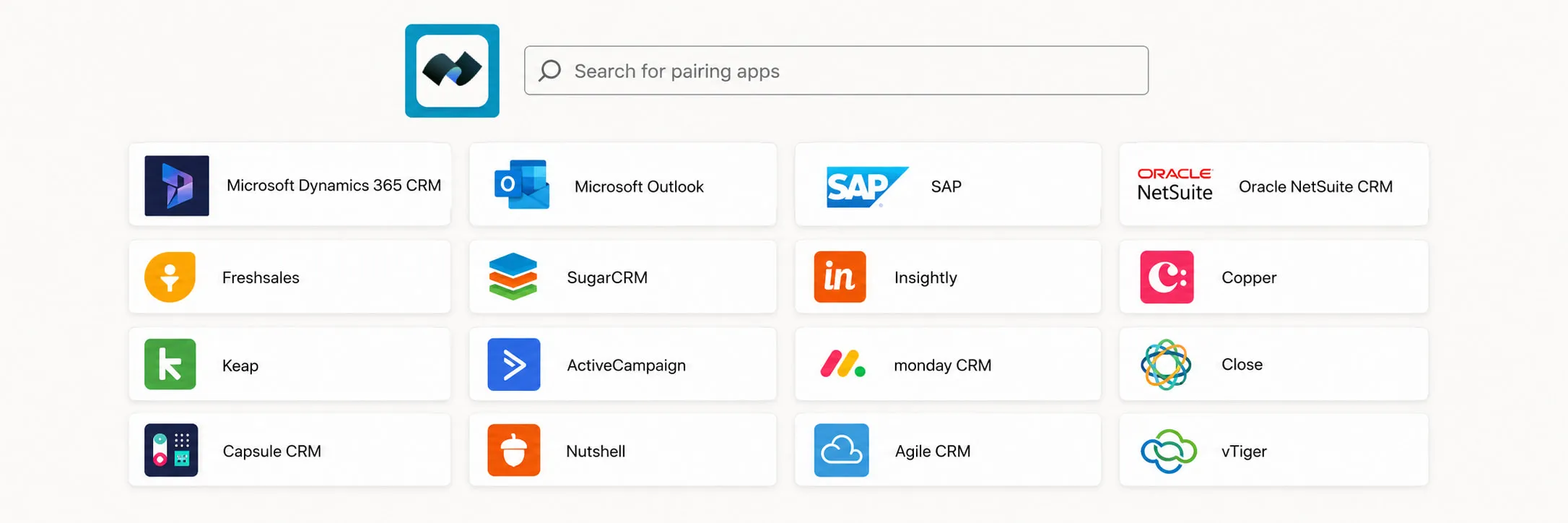
Fax.Plus werkt met Zoho CRM, Pipedrive, Microsoft Dynamics en duizenden andere apps via Zapier. Native integraties met Salesforce en HubSpot volgen binnenkort.
Hoe koppelt u Fax.Plus aan uw CRM?
Er zijn twee mogelijkheden. Voor een setup zonder code gebruikt u de Zapier-integratie om Fax.Plus aan uw CRM te koppelen en binnen enkele minuten geautomatiseerde faxworkflows te bouwen. Voor diepere of volledig aangepaste koppelingen gebruikt u de Fax.Plus API.
Biedt Fax.Plus een fax-API voor eigen CRM-integraties?
Ja. De Fax.Plus REST API ondersteunt JavaScript, Node.js, Ruby, Python en Java, met authenticatie via OAuth 2.0 of persoonlijke toegangstokens (PAT's) en realtime Webhook-meldingen. De volledige documentatie vindt u op apidoc.fax.plus.
Kan ik faxen automatiseren op basis van CRM-gebeurtenissen of triggers?
Ja. U kunt faxen automatisch laten starten door CRM-gebeurtenissen, bijvoorbeeld door een bevestigings- of opvolgfax te versturen wanneer een contact- of patiëntrecord wordt bijgewerkt, en inkomende faxen als CRM-activiteiten vast te leggen om uw workflow te stroomlijnen.
Is faxen vanuit een CRM HIPAA-conform?
Ja. Fax.Plus is HIPAA-compliant, zodat u beschermde gezondheidsinformatie (PHI) zoals patiëntverwijzingen, laboratoriumuitslagen en medische dossiers rechtstreeks vanuit uw CRM kunt versturen. Voor zorgorganisaties is een Business Associate Agreement (BAA) beschikbaar.
Stuur beschermde gezondheidsinformatie (PHI) niet via Zapier. Zapier ondersteunt geen door HIPAA gereguleerde gegevens en ondertekent geen Business Associate Agreements.
Heeft u een specifiek abonnement nodig om Fax.Plus met uw CRM te gebruiken?
Ja. CRM-integratie via de Fax.Plus API of Zapier is beschikbaar in het Enterprise-abonnement, dat ook HIPAA-compliance met een ondertekende BAA, SSO en gegevenslocatie omvat. Op de prijzenpagina van Fax.Plus ziet u wat elk abonnement inhoudt.
Ontdek meer manieren om te faxen
Fax.Plus koppelt met de apps waarop uw team al werkt, sluit via onze API en Zapier aan op uw eigen systemen en houdt elk document veilig voor gereguleerde workflows.
Faxen vanuit zakelijke apps

Koppelen en automatiseren
Voor gereguleerde teams
Ontdek alles wat u met Fax.Plus kunt doen
Wilt u zien hoe onze geavanceerde faxoplossing uw bedrijf kan helpen?
Plan een demo in en een van onze medewerkers neemt contact met u op voor een demonstratie op maat.
Werk met ons samen!


Confédération Suisse
Confederazione Svizzera
Confederaziun Svizra
Zwitserse Bondsstaat
Innosuisse - Zwitsers Innovatieagentschap


