


Fax from Your CRM with Fax.Plus


Fax.Plus CRM 통합

워크플로 자동화 및 간소화

HIPAA 준수 팩스 전송 보장

향상된 기록 관리
CRM을 위한 강력한 팩스 API
Fax.Plus는 JavaScript, Node.js, Ruby, Python 및 Java와 같은 널리 사용되는 개발 플랫폼과 호환되는 강력하면서도 사용하기 쉬운 팩스 API를 제공합니다. OAuth 2.0 또는 개인 액세스 토큰(PAT)을 사용하여 쉽게 인증하고 포괄적인 팩스 기능을 소프트웨어에 통합할 수 있습니다.
자세한 API 문서를 활용하여 사용자 정의된 팩스 솔루션을 만들고, RESTful API를 활용하고, Webhooks를 통해 실시간 알림을 통합하세요.
1const axios = require('axios');
2const OutboxApiFp = require('@alohi/faxplus-api').OutboxApiFp;
3const Configuration = require('@alohi/faxplus-api').Configuration;
4
5const config = new Configuration({
6    accessToken: accessToken,
7    basePath: 'https://restapi.fax.plus/v3',
8    // Header required only when using the OAuth2 token scheme
9    baseOptions: {
10        headers: {
11          "x-fax-clientid": clientId,
12        }
13    }
14});
15
16async function sendFax() {
17    const reqParams = {
18        "userId": '13d8z73c',
19        "payloadOutbox": {
20            "comment": {
21                "tags": [
22                    "tag1",
23                    "tag2"
24                ],
25                "text": "text comment"
26            },
27            "files": [
28                "filetosend.pdf"
29            ],
30            "from": "+12345667",
31            "options": {
32                "enhancement": true,
33                "retry": {
34                    "count": 2,
35                    "delay": 15
36                }
37            },
38            "send_time": "2000-01-01 01:02:03 +0000",
39            "to": [
40                "+12345688",
41                "+12345699"
42            ],
43            "return_ids": true
44        }
45    }
46    const req = await OutboxApiFp(config).sendFax(reqParams);
47    const resp = await req(axios);
48}
49
50sendFax()
보낸 사람 팩스플러스 import ApiClient, OutboxApi, OutboxComment, RetryOptions, OutboxOptions, OutboxCoverPage, PayloadOutbox
from faxplus.configuration import Configuration
fromfaxplus.configurationimportConfiguration outbox_comment = OutboxComment(tags=['tag1', 'tag2'],
text='텍스트 설명')
retry_options = RetryOptions(count=2, delay=15)
outbox_options = OutboxOptions(enhancement=True, retry=retry_options)
outbox_cover_page = OutboxCoverPage()
payload_outbox = PayloadOutbox(from='+12345667',
to=['+12345688', '+12345699'],
files=['filetosend.pdf'],
comment=outbox_comment,
options=outbox_options,
send_time='2000-01-01 01:02:03 +0000',
반환 ID=True,
cover_page=outbox_cover_page)
conf = Configuration()
conf.access_token = access_token
# header_name 및 header_value는 OAuth2 토큰 방식을 사용할 때만 필요합니다
api_client = ApiClient(header_name='x-fax-clientid', header_value=client_id, configuration=conf)
api = OutboxApi(api_client)
resp = api.send_fax(
user_id='13d8z73c',
body=payload_outbox
)<?php
require 'vendor/autoload.php';
$headers = array(
'Accept' => 'application/json',
'Authorization' => 'Bearer {access-token}',
// The x-fax-clientid header is required only when using the OAuth2 token scheme
'x-fax-clientid' => '{client ID}',
);
$client = new GuzzleHttp\Client();
// Define array of request body.
$request_body = ...; // See request body example
try {
$response = $client->request('POST','https://restapi.fax.plus/v3/accounts/{user_id}/outbox', array(
'headers' => $headers,
'json' => $request_body,
)
);
print_r($response->getBody()->getContents());
}
catch (GuzzleHttp\Exception\BadResponseException $e) {
// handle exception or api errors.
print_r($e->getMessage());
}
// ...package main
import (
"bytes"
"net/http"
)
func main() {
headers := map[string][]string{
// The x-fax-clientid header is required only when using the OAuth2 token scheme
"Content-Type": []string{"application/json"},
"Accept": []string{"application/json"},
"Authorization": []string{"Bearer {access-token}"},
"x-fax-clientid": []string{"YOUR CLIENT_ID"}
}
data := bytes.NewBuffer([]byte{jsonReq})
req, err := http.NewRequest("POST", "https://restapi.fax.plus/v3/accounts/{user_id}/outbox", data)
req.Header = headers
client := &http.Client{}
resp, err := client.Do(req)
// ...
}CRM Fax Integrations with Zapier, API & More

Salesforce Fax Integration Coming Soon

HubSpot Fax Integration Coming Soon

Zoho CRM 팩스 통합

Pipedrive Fax 통합

Microsoft Dynamics Fax
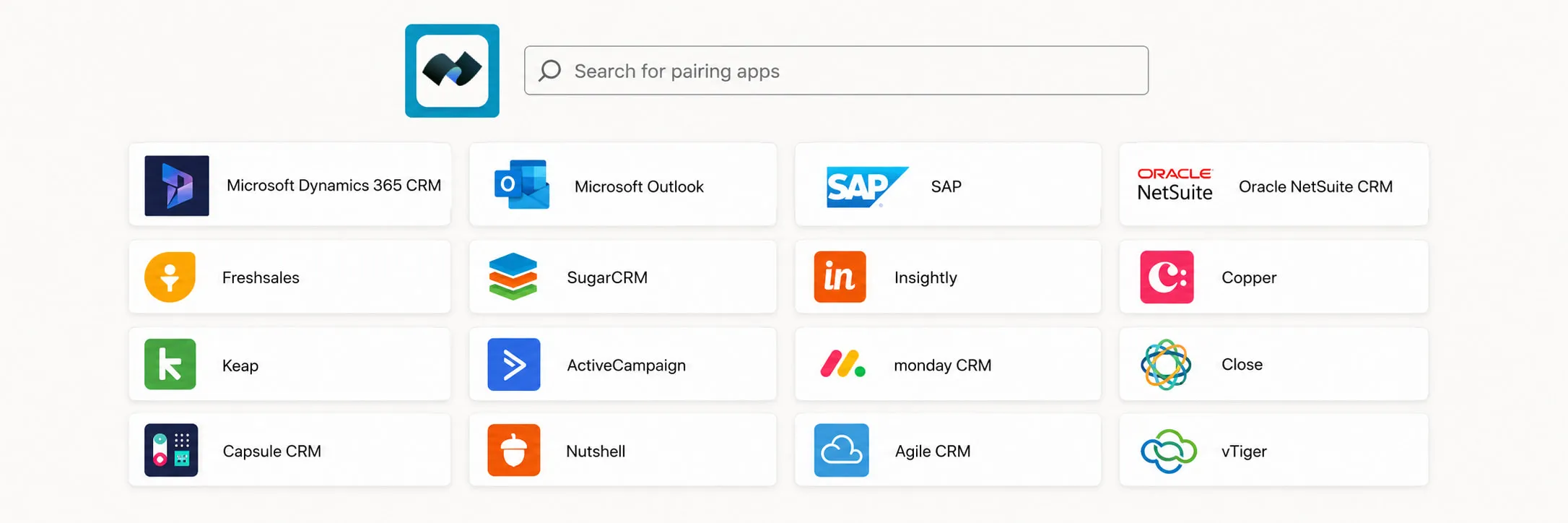
더 많은 옵션을 위해 Zapier를 통해 통합
Zapier를 통해 Fax.Plus를 수백 개의 다른 애플리케이션에 연결하여 팩스 워크플로에서 훨씬 더 큰 자동화와 유연성을 실현할 수도 있습니다.

코드 없이

사용자 정의 흐름

앱 연결하기

항상 동기화 상태를 유지합니다
자주 묻는 질문
CRM에서 직접 팩스를 보내고 받을 수 있나요?

네. Fax.Plus CRM 내에서 직접 팩스를 보내고 받을 수 있으므로, 팀원들이 플랫폼을 벗어나지 않아도 됩니다. 발신 및 수신된 팩스 내역은 CRM에 다시 기록되어 정확한 추적 및 기록 관리가 가능합니다.
Fax.Plus 어떤 CRM과 Fax.Plus ?
Fax.Plus works with Zoho CRM, Pipedrive, Microsoft Dynamics, and thousands of other apps through Zapier. Native integrations with Salesforce and HubSpot are coming soon.
Fax.Plus CRM Fax.Plus 어떻게 연결하나요?
두 가지 방법이 있습니다. 코딩 없이 설정하려면 Zapier 연동 기능을 사용하여 Fax.Plus 연결하고, 단 몇 분 만에 자동 팩스 발송 워크플로를 구축할 수 있습니다. 보다 심층적이거나 완전히 맞춤화된 연동을 원한다면 Fax.Plus 사용하세요.
Fax.Plus 맞춤형 CRM 연동을 위한 팩스 API를 Fax.Plus ?
네. Fax.Plus API는 JavaScript, Node.js, Ruby, Python 및 Java를 지원하며, OAuth 2.0 또는 개인 액세스 토큰(PAT) 인증과 실시간 웹훅 알림 기능을 제공합니다. 전체 문서는 apidoc.fax.plus에서 확인하실 수 있습니다.
CRM 이벤트나 트리거를 기반으로 팩스 발송을 자동화할 수 있나요?
네. CRM 이벤트에 따라 팩스를 자동으로 발송할 수 있습니다. 예를 들어, 연락처나 환자 기록이 업데이트될 때 확인 또는 후속 팩스를 보내거나, 수신된 팩스를 CRM 활동으로 기록하여 업무 흐름을 효율화할 수 있습니다.
CRM을 통해 팩스를 보내는 것이 HIPAA 규정을 준수하는가?
네. Fax.Plus HIPAA Fax.Plus , 환자 의뢰서, 검사 결과, 의료 기록과 같은 보호 대상 건강 정보(PHI)를 CRM에서 직접 전송할 수 있습니다. 의료 기관을 위한 Business 계약서(BAA)도 제공됩니다.
CRM과 Fax.Plus 사용하려면 별도의 요금제가 필요한가요?
네. Enterprise Fax.Plus 또는 Zapier를 통한 CRM 연동 기능을 이용할 수 있으며, 이 요금제에는 서명된 BAA를 통한 HIPAA 준수, SSO, 데이터 거주지 정책도 포함됩니다. 각 요금제의 제공 내용을 확인하시려면 Fax.Plus 페이지를 참고하시기 바랍니다.
팩스 보내는 다양한 방법을 알아보세요
Fax.Plus 귀사의 팀이 이미 사용 중인 앱과 Fax.Plus , 당사의 API와 Zapier를 통해 귀사의 시스템에 통합되어, 규제 대상 워크플로우에 따라 모든 문서를 안전하게 관리합니다.

Fax.Plus로 할 수 있는 모든 것을 알아보세요.
당사의 최첨단 팩스 솔루션이 귀사의 Business에 어떻게 도움이 되는지 알고 싶으십니까?
데모를 예약하시면 당사 담당자가 맞춤형 데모를 위해 귀하에게 연락할 것입니다.
제휴 파트너가 되어 보세요!




Confédération Suisse
Confederazione Svizzera
Confederaziun Svizra
Swiss Confederation
Innosuisse - Swiss Innovation Agency


